Saltar a contenido

BloodHound

Initialize

  • sudo neo4j console
  • Now we need to change the default credentials for neo4j. Navigate to http://localhost:7474/ and login with the default credentials
    username: neo4j
    password: neo4j
    

BloodHound Python

  • This package contains a Python based ingestor for BloodHound, based on Impacket. BloodHound.py currently has the following limitations: * Supports most, but not all BloodHound (SharpHound) features. Primary missing features are GPO local groups and some differences in session resolution between BloodHound and SharpHound. * Kerberos authentication support is not yet complete, but can be used from the updatedkerberos branch.
Executing BloodHound.py

  • sudo bloodhound-python -u 'forend' -p 'Klmcargo2' -ns 172.16.5.5 -d inlanefreight.local -c all

Simple bash script to do this

#!/bin/bash
# bloodhound-python -d <domain> -u <username> -p <password> -gc <domain> -c all -ns <ip of domain> 

echo "Domain: "
read domain 

echo "Username: "
read username

echo "Password: "
read password

echo "IP of Domain: " 
read ip_address

bloodhound-python -d $domain -u $username -p $password -gc $domain -c all -ns $ip_address

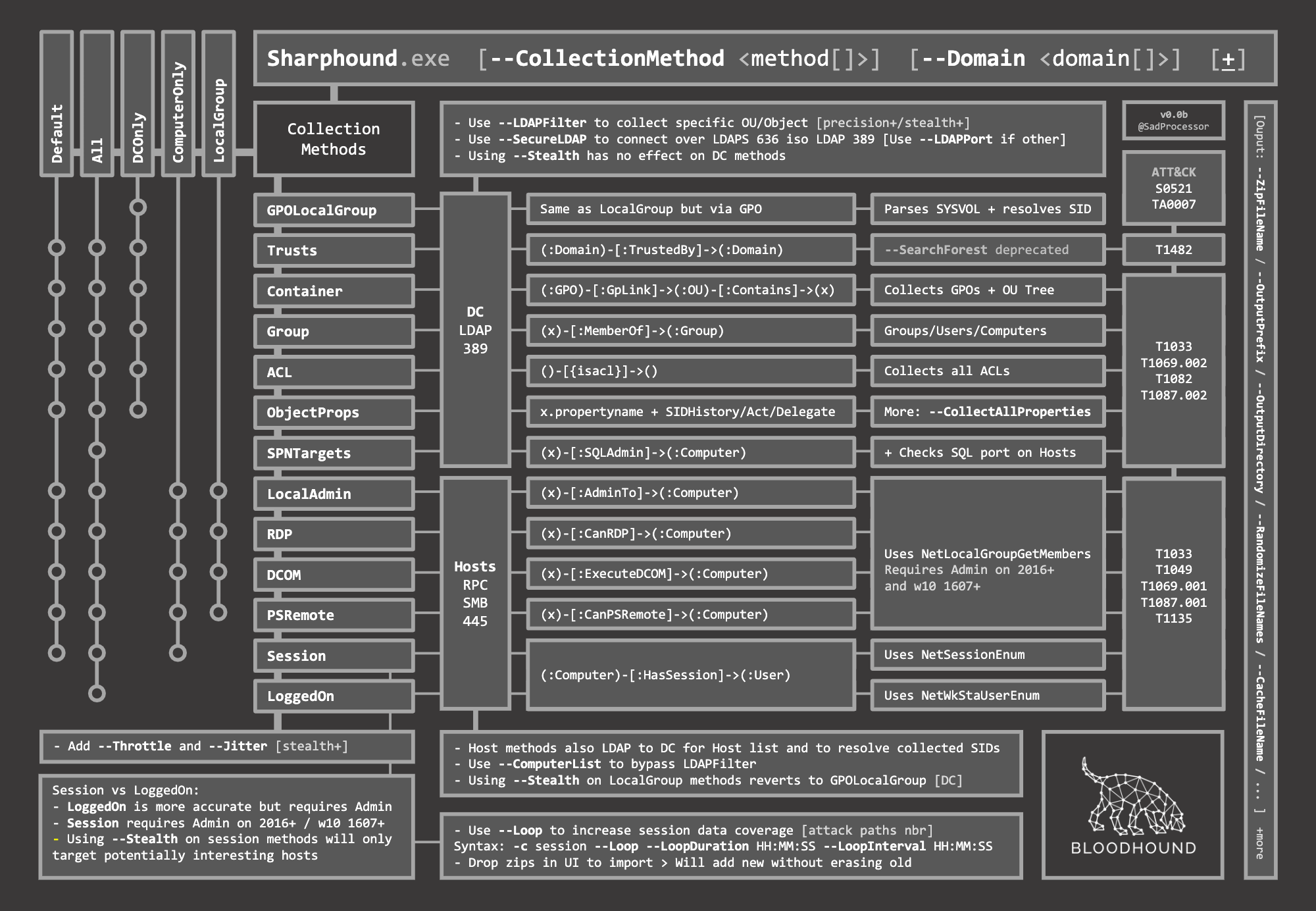
Sharphound

  • C# Data Collector for BloodHound
  • Import-Module .\SharpHound.ps1
  • C:\Tools\SharpHound.exe -c All -d INLANEFREIGHT.LOCAL --zipfilename loot.zip
  • Invoke-Bloodhound -CollectionMethod All -Domain inlanefreight.local -ZipFileName loot.zip

Bloodhound automation quick wins scans